How does the OTTO search algorithm work?

By Keanu Dutado · Last updated: 5 November 2026
In short
OTTO search first filters out the matching items and then sorts them. To filter, OTTO reads the title, category, brand, target group, filter values and Sellingpoints, which are the bullet points for your item, and adds synonyms and typos on its own. According to OTTO, the items that rise to the top are in stock, deliver fast, match the search well and sell often. OTTO doesn't publish how much each factor counts. Hidden search terms like Amazon's "backend keywords" don't exist on OTTO, and OTTO says that repeating search terms over and over won't move you up.
Sellers coming from Amazon look for the A9 and A10 tricks they know and find plenty of advice on titles and search terms. Much of it OTTO has never said, and some of it contradicts OTTO's own statements. If you pour your time into titles stuffed with search terms, you can easily miss what OTTO really names, such as delivery times, errors in your product data and the BuyBox.
How OTTO describes its own search
OTTO's search has no name like Amazon's A9 or A10. In the Partner Helpdesk OTTO calls it the „Such- und Ranking-Algorithmus“ (search and ranking algorithm) and describes two steps. In the first, OTTO filters out the items that match the search. In the second, OTTO sorts them so that whatever is most likely to be clicked and bought comes first. Shoppers on otto.de can see that results are sorted „nach Attraktivität“ (by attractiveness). The sort order OTTO sets by default is called „Topseller“ (top sellers).
Step 1 on OTTO decides which items are found at all
OTTO first interprets the search query, pulls in synonyms and allows for spelling mistakes. Then OTTO checks these details of your item.
- Title
- Category
- Brand
- Target group
- Filter values, the attributes shoppers filter by, such as color or material
- Sellingpoints, OTTO's word for the bullet points on your item, called bullet points on Amazon
OTTO adds a few rules. Search makes no difference between singular and plural. It ignores filler words like „mit“ or „in“. You don't have to maintain synonyms yourself. You don't write the title freely on OTTO, because OTTO builds it from your details. Where and how you enter those details is covered in OTTO SEO: How do I optimize items for OTTO search?
More important than any search term is that your item is set up without errors. According to OTTO, no shopper finds variants with errors in their product data, either through search or through navigation. Extra attributes put your item into more filters and category pages. According to OTTO they have no direct effect on its place in the list, unless a shopper searches for exactly that attribute.
Step 2 on OTTO decides which items come first
For sorting, OTTO gives sellers three points in the Helpdesk.
- Items in stock with fast delivery move up.
- Items whose wording matches the search well move up. Not all fields count equally.
- Popular items with high revenue move up.
OTTO tells shoppers on otto.de a little more. Clicking the info icon next to the number of results shows a note on sorting. It also lists the price, how often an item was clicked for exactly this search and personal preferences, the last only if the shopper has agreed. In the otto.de terms of use, OTTO also gives customer reviews as an example. None of these lists is complete. OTTO doesn't publish anywhere how much a factor counts. OTTO's tech team describes its model as learning from clicks and purchases which items fit a search.
What OTTO doesn't say matters just as much. OTTO has neither confirmed nor ruled out that returns, cancellations or your seller account's ratings change your place in search. OTTO doesn't name images as a sorting factor.
What people say about OTTO search and what OTTO says
| What you often read | What OTTO says |
|---|---|
| You need hidden search terms the shopper doesn't see, called "backend keywords" on Amazon. | According to OTTO there is „keine Notwendigkeit“ (no need) for them, and there's no field for them. |
| The more often a search term appears in the title and description, the better. | According to OTTO, mass repetition, „Keyword-Spamming“, doesn't improve your position. |
| The most important search term belongs at the start of the title. | OTTO builds the title itself, and it's one of six fields. OTTO doesn't give a weighting. |
| A delivery time over 5 working days hurts you. | OTTO favors fast delivery, but doesn't name a threshold in days. |
| The cheapest offer wins the BuyBox. | OTTO names five factors, including shipping costs and delivery time. |
Ads in OTTO search
Between the regular results OTTO shows paid ads, the Sponsored Product Ads. They carry the label „gesponsert“ (sponsored) and sit in fixed positions, the first ones, according to OTTO, at positions 1, 2, 8 and 16. Only an item where you hold the BuyBox can take part in the bidding. According to OTTO, half of all shoppers don't scroll past position 30 in a results list (as of 7 May 2026). If your item ranks further back without ads, at least half of shoppers won't see it. An ad can then put it in one of the front positions.
OTTO writes that sales through ads could have positive effects on organic ranking, which is your place in search without advertising. OTTO doesn't explain how that works and publishes no data on it. In practice the two are connected. Ads bring visibility and sales, and in this experience those sales improve organic ranking. If you turn your ads off, you hand your spot to competitors and can also lose places in search without ads. How advertising on OTTO is built is covered in How does advertising on OTTO work with Sponsored Product Ads?
The BuyBox on OTTO
OTTO has a BuyBox too, like Amazon. If several sellers offer the same item, OTTO merges their offers into one item through the EAN. The product page then shows one offer to buy per variant, the winning offer. The other sellers appear on a separate page, the Verkäuferauswahlseite (seller selection page). The shopper sees none of this in the results list. Which texts and images appear on the product page is a separate decision by OTTO, based on the greatest benefit to the shopper.
According to the Helpdesk, OTTO sets the order of sellers by five factors.
- Price including VAT, without shipping. Discount campaigns open to all shoppers count.
- Shipping costs of your offer. Flat rates don't count, free shipping campaigns do.
- Delivery time, on average in whole days.
- Seller trust. OTTO gets a bonus here as a seller.
- Services such as delivery to the place of use, taking away old furniture or assembly. Only OTTO offers these at the moment, and OTTO itself writes that it can favor such offers for that reason.
Here too, OTTO gives no weighting. If OTTO sells the same item itself, the bonus and the services make it harder for you. What you control is price, shipping costs and delivery time. Price and shipping costs are separate factors, so a low price doesn't help if high shipping costs cancel it out. OTTO doesn't say what goes into seller trust. The view from practice is that missed delivery times and many returns hurt you with the BuyBox, and that ratings and the size of your seller account count for less than price, shipping costs and delivery time. OTTO has confirmed neither. What it means for you when new EU sellers offer the same items has its own guide.
How to see on otto.de how OTTO sorts
You don't need a login for this.
- Enter a search term on otto.de, such as one you sell under.
- The number of products appears above the results list. Click the info icon next to it. There OTTO explains the sorting and the sponsored products to shoppers.
- On the right it says „Sortieren nach: Topseller“ (Sort by: top sellers). That's the sort order OTTO sets by default. Shoppers can also sort by price, discount, new arrivals or ratings.
- You can recognize ads by the label „gesponsert“.
- The „Verkäufer“ (Seller) filter on the left and the „Verkauf von OTTO“ (Sold by OTTO) switch show you which sellers are in the list.
How to find your rank and your BuyBox on OTTO
You do the next steps in OTTO Partner Connect, the partner portal for sellers, called Seller Central on Amazon. The menu names and the contents of the reports in steps 1 and 2 come from OTTO's Helpdesk.
- Open „Analysen“ (Analytics) → „Potenzialanalysen“ (Potential analyses) → „Suchbegriff Analyse“ (Search term analysis) and the tab „Suchbegriffe nach Produkt“ (Search terms by product). Enter the OTTO item number, which you'll find in the item description on the product page. The column „∅ Produkt Position“ (average product position) shows your place in search without ads, averaged over the last 30 days, for up to 100 search terms.
- Open „Produkte“ (Products) → „Produktdatenanalyse“ (Product data analysis) and the tab „Wettbewerb am Artikel“ (Competition on the item). The „Buy Box Analyse“ area lists all SKUs you share with other sellers, whether you hold the BuyBox, and your price next to the best competing price.
- The „Produktdatenfehler“ (Product data errors) tab on the same page lists the items that don't appear in search because of an error, each with a reason and a recommendation.
- Under „Produkte“ you can download a list of all items at the top right through „Marktplatzstatus“ (Marketplace status). Since 20 October 2026 it also includes „Hinweise zur Verbesserung“ (improvement notes) on your product data.
What OTTO doesn't show you, you work out yourself. The position per search term only covers the last 30 days. If you want to see how your rank changes over an advertising phase, save the numbers yourself before, during and after, and compare them. You won't find a metric in the partner portal that separates sales from ads and sales without ads. You calculate the share of your ad spend in your total revenue yourself, using the revenue from „Analysen“ → „Controlling“.
What MargenOptimierer adds to your visibility on OTTO
With MargenOptimierer you steer the part of your visibility that you buy on OTTO, your advertising. You keep maintaining your product data in the partner portal, and you check your place in search without ads and your BuyBox there. For advertising, MargenOptimierer fetches your campaigns and ad numbers from OTTO every night and brings them together in the Werbekonsole (ad console).
In the Suchbegriffe (Search terms) tab you see, across all campaigns, what shoppers typed on OTTO before clicking your ad. Each search term sits in one row with impressions, clicks, ad spend, ad revenue and ACoS. ACoS is the share of your ad spend in ad revenue, meaning revenue from purchases after a click on your ad, and it sits next to your target ACoS, the highest ACoS you want to allow. That tells you which search terms really bring you purchases. A search term that sells can become a keyword in a manual campaign. A search term with clicks and no sale can be excluded.
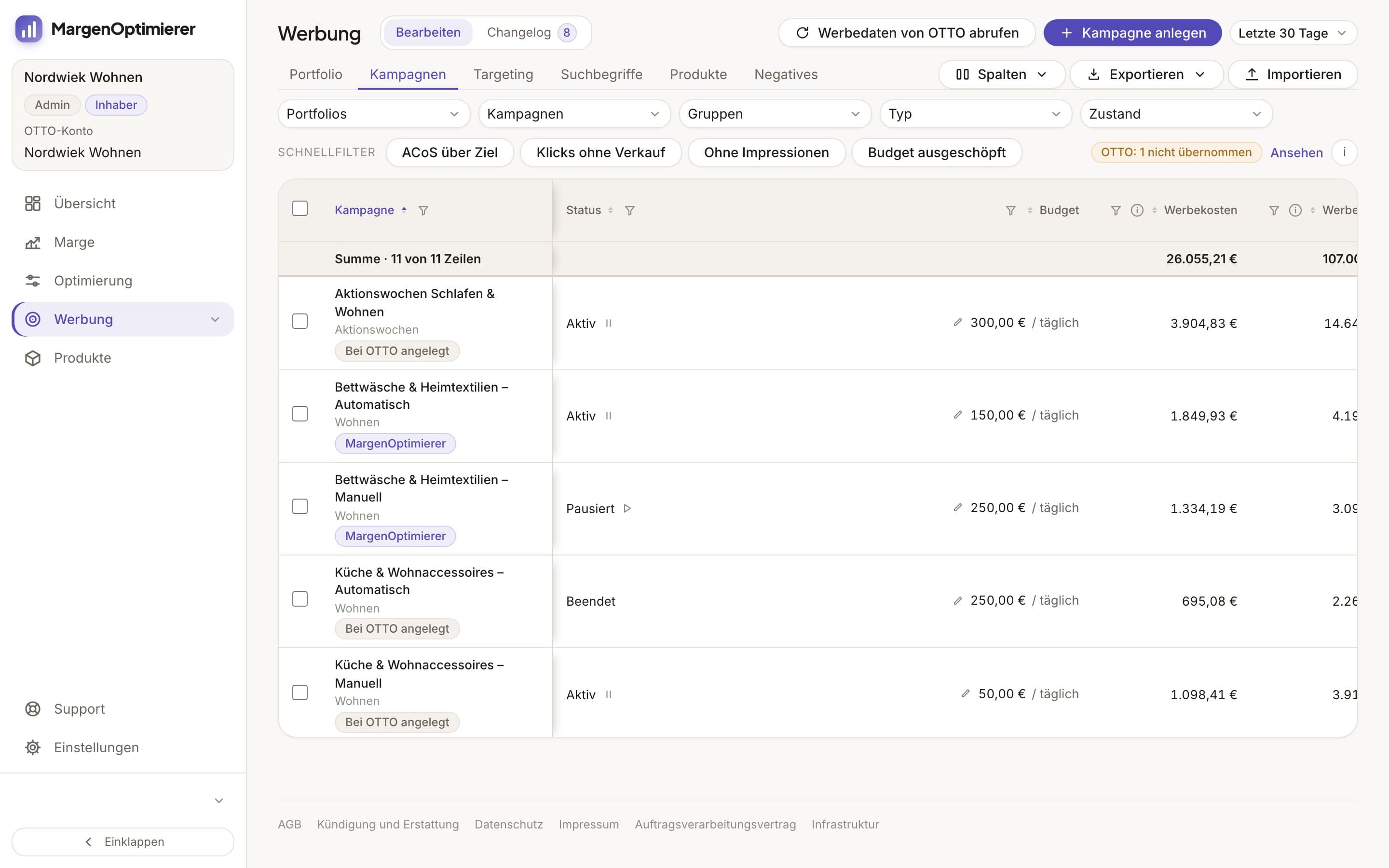
On the Optimierung (Optimization) page, MargenOptimierer measures every targeting, meaning every item and every keyword with its own bid, against its target ACoS. You lower the bids above target and can raise the ones well below it. Because you see at every bid whether it fits your target, you cut costs where they occur and don't have to switch off all your ads. You queue every change first, see the new bid next to the old one and send it to OTTO yourself.
The Übersicht (Overview) shows your total revenue with the share from ads and TACoS, the share of your ad spend in that revenue, plus a comparison with the previous period. That shows you whether your revenue without ads grows along with your running ads.
MargenOptimierer costs from 49 € net per month. You can test the first 14 days for free, no credit card needed.
Frequently asked questions
Does OTTO have an algorithm like A9 or A10?
It has no name like Amazon's. OTTO speaks of the „Such- und Ranking-Algorithmus“ (search and ranking algorithm). It first filters the matching items, then sorts them by delivery, fit with the search and popularity.
Do I need backend keywords on OTTO?
No. According to OTTO there's no need for "backend keywords" or hidden tags, and there's no field for them. Your item is found through its title, category, brand, target group, filter values and Sellingpoints.
Do ads improve my ranking in OTTO search?
OTTO publishes no data on this. You can check it for your own items. Save the „∅ Produkt Position“ from the „Suchbegriff Analyse“ before, during and after an advertising phase and compare.
Does OTTO have a BuyBox like Amazon?
Yes. If several sellers sell the same item with the same EAN, OTTO shows one offer on the product page. OTTO picks it by price, shipping costs, delivery time, seller trust and services, and doesn't give a weighting.
Keanu Dutado
Keanu Dutado sells on OTTO and other marketplaces with his own company and runs the ads himself. He has several years of e-commerce experience and was an Amazon Ads Manager at Snocksulting / Remazing Nova. He founded MargenOptimierer.
Last updated and sources
Last updated: 5 November 2026
- Such- und Ranking-Algorithmus in der OTTO-App und auf der OTTO-Website (Partner Helpdesk, login required), as of 9 July 2026
- Produktdatenanalyse (Partner Helpdesk, login required), as of 10 July 2026
- Suchbegriff Analyse (Partner Helpdesk, login required), as of 31 March 2026
- Wettbewerb am Artikel bei OTTO (Partner Helpdesk, login required), as of 14 August 2025
- Sponsored Product Ads, Allgemeine Informationen (Partner Helpdesk, login required), as of 7 May 2026
- Sponsored Product Ads, Kriterien zur Ausspielung (Partner Helpdesk, login required), as of 7 May 2026
- OTTO Advertising: Sponsored Product Ads, as of 7 August 2026
- otto.de: Nutzungsbedingungen, Ranking und Empfehlungssysteme, as of July 2025
- OTTO Techblog: Learning to Rank, as of 4 November 2025
Next
- OTTO SEO: How do I optimize listings for OTTO search?
- How do Sponsored Product Ads work on OTTO?
- Is advertising on OTTO worth it for small sellers?